How to find a lost cell phone on Android and iPhone

Losing your cell phone doesn't just mean losing access to calls. The device can store photos, conversations, documents, digital cards, and open sessions. Android and iPhone offer their own tools to locate the phone, make it ring, lock the screen, and erase data when recovery is no longer likely. The most effective response depends on acting in the right order and not putting your security at risk.
This guide shows you what to prepare before a loss, how to locate your device on another phone or computer, what to do when it's offline, and what measures protect your accounts. Menu names may vary depending on the brand, system version, country, and carrier, but the logic is similar.
Prepare your cell phone before you lose it.
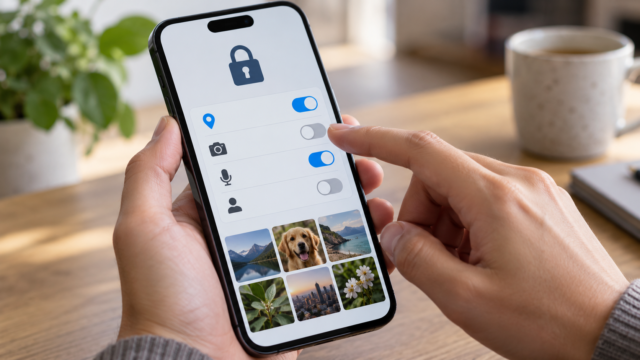
Remote location services only work well when certain features are already enabled. On Android, confirm that there's a Google Account on the device, that location services are turned on, and that Find Hub can locate the device. On iPhone, open Settings, tap your name, go to Find My, and turn on Find My iPhone, Find My app network, and Send Last Location. Perform this review while you have the device in your possession.
Use a strong screen lock, keep your system updated, and check that your phone appears in your account's list of devices. A PIN or password prevents someone from seeing the contents while you try to recover the device. Biometrics help with daily use, but the code remains important after a reset.
It's also a good idea to keep the IMEI number in a safe place. It doesn't replace tracking, but it can help the carrier and authorities identify the device if it's stolen. Don't post the number on social media or send it to strangers who promise to locate your phone.
How to locate a lost Android device
On another phone or computer, open android.com/find Sign in with the Google Account used on the device. If there is more than one device, choose the correct phone. The map shows the current location when the device is connected and may show the last known location when it is offline.
If your phone is nearby, use the option to play a sound. The ringtone can help you find the device at home, in the car, or in a bag, even if it was on silent mode. Walk slowly and confirm that the map is pointing to the correct location before concluding that the device has been taken.
When recovery isn't immediate, choose to protect the device. This action locks the screen, allows you to leave a message, and can display a contact number. Write only what's necessary, such as "This device was lost. Call this number," without including an address, documents, or other personal information.
If the map shows an unknown location or indicates that the phone has moved, do not attempt to recover the device yourself. Take a screenshot of the location, lock the device, and contact your carrier or the authorities. The location is an estimate and may be delayed, especially inside buildings.
How to locate a lost iPhone
On your iPhone, use the Find My app on another Apple device or access... icloud.com/find. Sign in with your Apple account and select the device from the list. The map may display the current location, the last recorded location, or an approximate area. When the phone is nearby, tap Play Sound.
Activate Lost Mode as soon as you realize you won't be able to find your device quickly. This feature locks your iPhone, suspends cards used with Apple Pay, and allows you to display a contact message. Choose a number you can answer and don't include information that would make it easy to contact someone in person.
If your iPhone is turned off or disconnected, Find My may show a previous location. On compatible models, the Find My network uses nearby devices to help locate your offline device. This doesn't guarantee a consistent location: walls, battery, settings, and regional availability can limit the result.
If you conclude that the device was stolen and will not be recovered, use the option to remotely erase the iPhone. Erasing protects your data, but it shouldn't be the first step when there's still a reasonable chance of locating the device. After erasing, do not remove the device from your Apple Account, as this may remove the Activation Lock.
What to do when your cell phone is offline
A phone without internet access may still display its last known location. On Android, Find Hub may also use the network of nearby devices when offline search is enabled. On iPhone, the Find My network may locate some models without a connection. In both cases, the information is a point of reference, not a guarantee that the device is exactly there.
While waiting for an update, call the number, send a short message, and leave the block active. Avoid insisting on calls if you suspect theft, as this may alert whoever has the device. Ask your carrier to suspend the SIM or eSIM when there is a risk of misuse.
Protect your accounts after a loss.
First, change the password for your phone's main account: Google Account or Apple Account. Then, review any open sessions on email, social media, messaging apps, and financial services. Close accounts you don't recognize and enable two-step authentication on another secure device.
If there was a banking, wallet, or authenticator app installed, follow the service's official procedure to revoke the device. Do not give verification codes to people who call claiming to have found your phone. Scammers may use the loss to ask for passwords, codes, or payment in exchange for a supposed return.
When speaking with your carrier, confirm whether your line has been suspended and ask how to issue a new SIM or eSIM. Your phone number can be used to recover accounts, so managing your line is part of the protection. Update important services once the new SIM card is working.
When is it worth deleting the device?
Remote wipe makes sense when the map indicates an inaccessible location, when the phone has been stolen, or when there is sensitive data that cannot wait. Before confirming, check that the tool shows the correct account and that you have already saved the necessary information for the police report.
After erasing the data, the device may stop sending new locations. On Android devices, reset protection requires the original Google Account to set up the phone again. On iPhones, Activation Lock remains enabled if the device remains on your account. Do not remove the account just because someone sent a message saying they need it to return the phone.
Frequently Asked Questions
Can I locate my cell phone without GPS enabled?
Accuracy tends to decrease, but the service can use Wi-Fi, cell towers, Bluetooth, and the last stored location. If location services have never been enabled, the options become much more limited.
Does the map show the exact location?
Not necessarily. The circle on the map represents an estimate. Inside buildings, in parking lots, or in areas with poor signal, the device may appear a considerable distance from the actual location.
Do I need to go to the address provided?
Do not attempt to recover the phone if you suspect theft or if you are unfamiliar with the location. Block the phone, suspend the line, and contact the authorities. Physical recovery should be done safely.
Can I locate the device after erasing the data?
In general, deletion interrupts the ability to receive new remote actions. Therefore, try to locate and protect first; only delete when data protection is more important than recovery.

Conclusion
Finding a lost phone starts before it's lost: activate location services, set up Find Hub or Find My, use screen lock, and keep your accounts protected. When the device disappears, locate it on another device, make it ring if it's nearby, activate protection mode, and suspend the line when there's a risk. Remotely wiping is the last step, used when recovering the phone is no longer secure.
Consult the official instructions for Find Hub on Android and of Apple Search. If you need to recover documents after switching devices, also see how. Transfer files from your mobile phone to your computer..