How to view and recover deleted notifications on Android

Accidentally deleting a notification is easy: simply swipe too quickly or tap "clear all" to lose a delivery, authentication, or conversation alert. Many Android phones have a history that records recently dismissed alerts and allows you to return to the app that sent them. It's not a permanent inbox, it has a time limit and changes name depending on the manufacturer, but it solves situations where you need to remember which app sent a message.
This guide shows you how to enable and view notification history, how to find the feature on Pixel and Samsung devices, why some phones don't display the option, and how to adjust alerts to minimize missed notifications. The screens vary depending on the Android version and manufacturer interface. If the path doesn't match, use the Settings search function and look for "notification history".

What history can recover
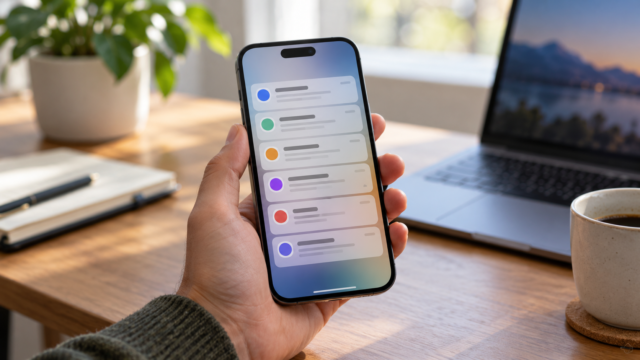
The feature saves dismissed notifications, postponed alerts, and, on some devices, a summary of notifications received during the day. Official Android help indicates that some devices do not offer a history and that menus may vary. When available, the list shows the originating app and allows you to tap on the entry to try to open the corresponding screen.
Viewing an old alert doesn't mean retrieving the entire message content. The system may record the app name, title, and part of the text, but hide sensitive information. Banking, authentication, and messaging apps may only show a generic warning. If history was disabled when the event occurred, Android usually cannot reconstruct it afterward.
How to enable browsing history on Android
Open Settings, tap on Notifications and look for Notification history. In some versions, the item is located in Notifications > Advanced settings. Activate Use notification history or a button with a similar name. Then, generate a test notification by sending a message to yourself or waiting for an alert from a trusted app.
Slide down the notification panel, scroll to the bottom, and tap on History, If the shortcut appears, you can also go back to Settings and open the same menu. The first query may show an empty list because only events received after activation are recorded. Google support recommends checking in Settings > Notifications if the device has the feature.
Find alerts on a Pixel phone.
On Pixel phones, the direct path is usually... Settings > Notifications > Notification history. Activate the option and view the list in the same location. Pixel support states that the feature keeps dismissed notifications from the last 24 hours. To open it from the panel, swipe down from the top, scroll to the bottom, and tap on History. When you tap on an item, the system attempts to open the source application.
If the shortcut isn't visible, use the magnifying glass in Settings. Type "history" and select the result linked to notifications. Some devices group records by app, which helps you find a calendar, transportation, or authentication notification. The history doesn't replace the original content: if the service removed the message, only the visual record will remain.
Where to search on Samsung Galaxy phones
On many Galaxy devices with One UI, open Settings > Notifications > Advanced settings > Notification history. Activate the function and return to this screen when you need to view an alert. Depending on the version, the item appears directly on the notifications page or within Advanced Settings. The internal search in Settings usually finds the screen even when the names change.
The list can organize notifications by app and indicate when they were dismissed. Tap the record to try opening the source. Watches and other connected accessories may have shown a visual copy, but they don't guarantee that the full text will be stored. For private messages, avoid taking screenshots and sharing them with third parties.
When the device does not offer the feature
Older versions of Android may not have a history. Some interfaces also hide the function or use a separate panel. If the Settings search doesn't find the option, check the version in [link to Android version]. Settings > About phone > Android version and consult the manufacturer.
Third-party apps that log notifications require broad access to alerts and may expose authentication codes, conversations, and banking data. Prefer the native feature and the original app. Only use an alternative tool after evaluating the developer's privacy policy, storage capacity, and reputation.
How to prevent important alerts from disappearing
Open Settings > Notifications > App notifications Review essential services. Activate categories for banking, calendar, travel, and authentication, but leave promotions silent or disabled. On many devices, it's possible to choose between audible and silent alerts; the latter remains on the panel without interrupting your activity.
On the lock screen, choose whether Android displays content, hides sensitive information, or doesn't show notifications. Hiding text reduces the exposure of codes, although it requires unlocking the device to read them. Also check the Do Not Disturb mode, battery saving mode, and automatic routines. If one of these functions prevents delivery, there will be no record to recover.
Boundaries, privacy and security
The history is temporary. Android may keep the last 24 hours, while some interfaces adopt a different timeframe. Clearing system data, restoring the device, or disabling the function may delete the list. Notifications that were never delivered due to lack of network, blocked permissions, or application failure will not appear.
Treat this screen as personal information. Anyone who unlocks your phone can find out which services you use and at what times you received notifications. Use a strong screen lock and hide sensitive content when lending your device. On work accounts, follow company policy before installing any app that copies notifications to another device.
If an app doesn't appear in the history
Confirm that the app actually sent a notification. Then, open it. Settings > Notifications > App notifications, Find it and check the categories. Some services separate messages, promotions, and security into different channels. Activating only the necessary category reduces noise and makes it easier to find the event.
If the app is still missing, update it from the official store, restart your phone, and try again with a new message. Review your battery and background data permissions: aggressive power saving settings can delay alerts until you open the app. Do not grant accessibility or screen reading permissions without understanding the risk, just to log notifications.

Frequently Asked Questions
Does the history show notifications from previous days?
Generally not. Android and Pixel documentation describes a feature for recent alerts, often limited to the last 24 hours. The timeframe may vary depending on the phone, and there's no guarantee of retrieving older events.
Can I read a deleted WhatsApp message?
Sometimes the log shows part of the text that appeared in the preview, but it's not guaranteed. If history was turned off, previews were hidden, or the app only sent a generic notification, the content will not be available.
Why doesn't the option appear?
The device may be using an older version, an interface without the feature, or a different name for the function. Search for "notification history" and consult the manufacturer's help before installing unknown applications.
Does disabling browsing history erase what has already been recorded?
In general, disabling the settings prevents new entries and can clear the list. If you need to save information, write it down in the source application before changing the setting.
Conclusion
Notification history prevents the frustration of missing an important alert, provided it's enabled before the problem occurs. Test it out, learn your manufacturer's specific setup, and keep essential notifications configured in a balanced way. When the alert has lasting value, confirm the content in the originating app instead of relying on a temporary list.
Official source: Android Help on notification control and history e Google Pixel instructions for finding old notifications.